


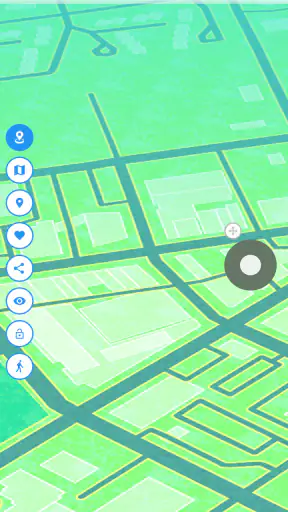
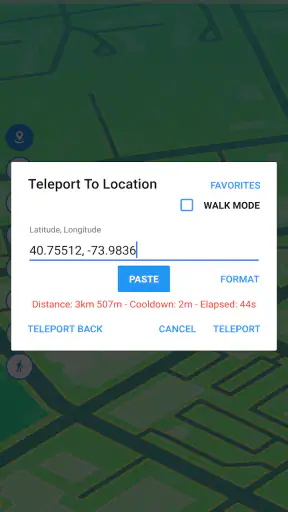
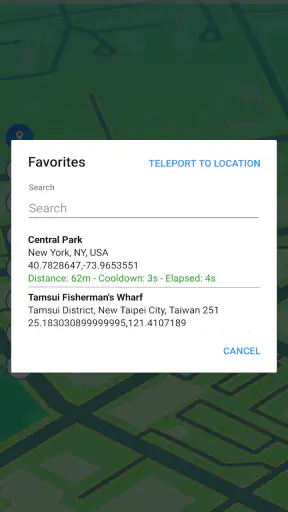
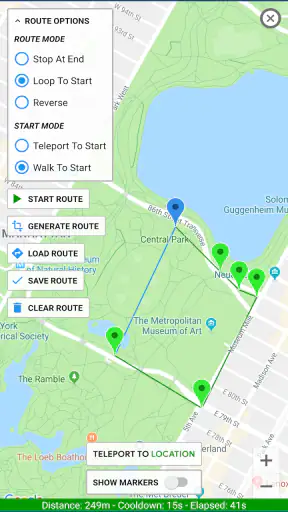
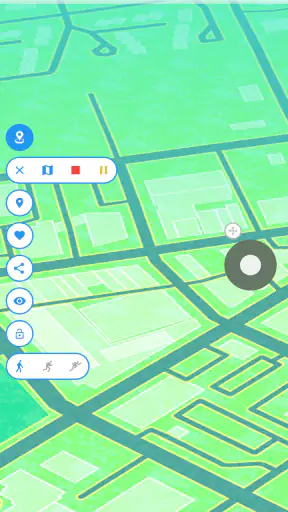
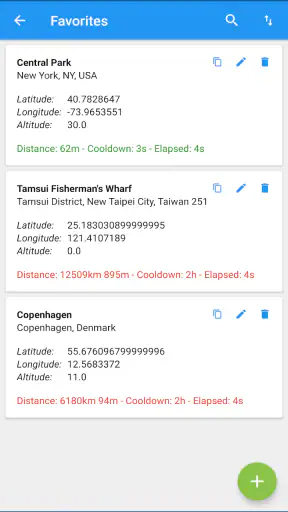
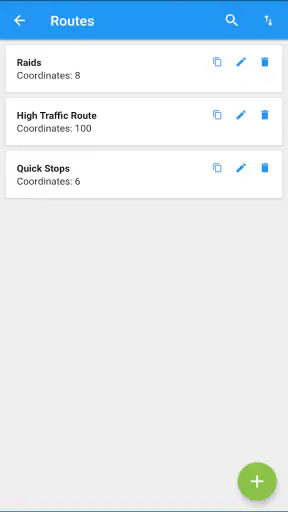
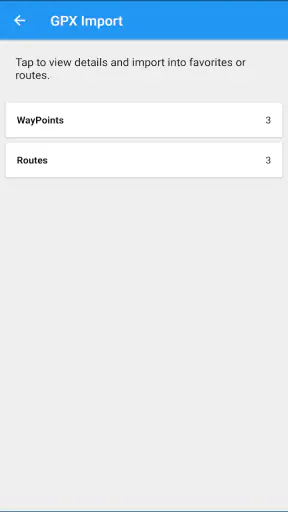
I tested Fake GPS Location-GPS JoyStick as a Maps & Navigation app from The App Ninjas, and my first impression was that it is built for a very specific job: changing the location reported by an Android phone and controlling that simulated position with an on-screen joystick. It is free to install, aimed at Everyone, and works on Android 6.0 or later. That makes it easy to try, but the useful question is not simply whether it can move a marker. The real question is whether its controls, feedback, and setup make sense for the way you intend to use a simulated location.
In my experience, the app is most interesting for testing location-dependent behavior, exploring how an application reacts when the phone appears to be somewhere else, or creating a controlled location scenario without physically traveling. It is not a replacement for a normal navigation app, and I would not use it when I need trustworthy directions, emergency positioning, or an accurate record of where I really am. Its value comes from controlled simulation, not from improving real-world GPS accuracy.
How the interface works for different reading and navigation needs
The central idea is easy to understand: choose a place, start the simulated position, and use the joystick to adjust movement. That direct model is more approachable than a tool filled with technical menus. Someone who has never worked with mock locations can grasp the purpose quickly because the app presents movement as an action rather than as a complicated configuration exercise.
The joystick is also more immediately understandable than entering a long sequence of coordinates. I found that helpful when I wanted to make small changes and observe how another app responded. Instead of repeatedly opening a map, selecting a point, and restarting a test, I could make a gradual adjustment. That workflow is particularly useful when checking whether an app reacts differently to a nearby change than to a large jump.
There is a trade-off, though. A joystick is visually dependent, and its usefulness relies on seeing the control and the location feedback clearly. People with low vision may find small map details or moving indicators difficult to interpret, especially when several visual elements compete for attention. I would have preferred more confidence that every important state change was obvious without relying mainly on tiny map movement or subtle interface feedback.
For readers who process information better in short steps, the app’s focused purpose helps. There are fewer concepts to learn than in a full navigation suite. Still, I recommend approaching the first setup slowly. Before using the simulated location for a serious test, confirm that the phone is actually reporting the intended position and that the target app is responding as expected. A visually plausible map position does not automatically mean every other application will handle it in the same way.
The current version is 5.3.3, and the app has reached over five million installs with an average rating of four stars from around one hundred seven thousand ratings. Those figures suggest that many Android users have found the basic concept useful, but they do not remove the need to check whether the interface suits your own vision, reading speed, and comfort with location settings.
Why the joystick can be easier than repeated map selection
One of the less obvious strengths is the ability to make a test feel continuous. Suppose I am checking a delivery, travel, or location-aware application that should update as a user moves through nearby streets. Selecting isolated points can make the test artificial. A joystick lets me examine the transition between positions instead of only comparing a starting point with an ending point.
That does not make the result identical to real movement. The phone is still receiving a simulated signal, and the target application may detect or interpret that differently. However, the workflow can expose problems that a single location change hides. For example, an app might update correctly after a jump but fail to refresh while the position changes gradually. Fake GPS Location-GPS JoyStick gives me a practical way to investigate that difference.
For someone who finds precise tapping difficult, the joystick may be less demanding than repeatedly targeting small map areas. On the other hand, holding or dragging a control continuously can be tiring or uncomfortable for users with limited hand movement, tremor, or fatigue. In that situation, I would treat the joystick as an optional convenience rather than assuming it is automatically more accessible than point selection.
Motor, sensory, and cognitive considerations in real use
The app’s most important interaction is hands-on. You select a location and manipulate an on-screen control, so the experience depends on accurate touch input. A user with reduced dexterity may need to enlarge the phone’s display or use a steadier grip. That can make the control easier to reach, but it may also reduce the amount of map visible at once, creating a new navigation problem.
I also noticed a practical distinction between setting a location and maintaining control over it. Choosing a destination can be a short action, while joystick movement may require repeated attention. If you are testing a long route or trying to keep a simulated position active while performing another task, the interaction can become demanding. I would plan short, clearly defined test sessions instead of leaving the app running without checking what the target application is doing.
People who are sensitive to visual motion may want to use the joystick gently. Rapid movement across a map can make it harder to maintain orientation, especially when the display is small. A slower approach is not only more comfortable; it also produces cleaner observations when I am trying to understand how another app updates its location.
For users with hearing loss, the key issue is not spoken guidance. This is not a turn-by-turn navigation assistant whose main value depends on voice prompts. That can be a positive in situations where visual interaction is preferred. At the same time, the app should not be mistaken for a tool that provides rich nonvisual guidance. If you need spoken directions, route warnings, or detailed travel assistance, a conventional navigation service is the better choice.
Cognitive simplicity is one of its stronger points, but only within its narrow purpose. The app is easier to reason about when I keep one question in mind: what location should the phone report right now? Confusion starts when I expect it to behave like a complete map service, a travel planner, or a privacy tool. It does not replace the need to understand how the other app treats simulated positioning.
A practical workflow for testing without losing track of the real location
I recommend writing down the real starting point before beginning a session. Once a phone reports a simulated location, it becomes easy to forget which position is genuine and which one is being presented to software. Keeping that distinction clear is especially important if you later open a weather, travel, delivery, or social application that uses location.
My preferred workflow is simple. I first decide what behavior I want to test, then select a controlled location, activate the simulation, and make only one change at a time with the joystick. After each change, I check the target app rather than moving continuously. This makes the result easier to interpret and reduces the chance of blaming Fake GPS Location-GPS JoyStick for a delay that actually comes from the other application.
Another useful habit is to stop the test deliberately and restore normal location behavior before returning to everyday use. A simulated position can be helpful in a test but confusing when left active during ordinary tasks. If you share a device with family members, this step matters even more because another person may open a location-aware app without knowing that the phone is still presenting a false position.
The app is free, although in-app purchases range from ninety-nine cents to nine dollars and ninety-nine cents per item. I would begin with the free experience and pay only if a specific extra is relevant to my workflow. The purchase range is worth keeping in mind for users who want predictable costs, particularly if they are evaluating the app for repeated testing rather than occasional experimentation.
Situational access: where the app genuinely helps
The clearest use case is software testing. A developer, quality tester, support technician, or curious user may need to see how an Android application behaves when the device appears to be in another place. With a controllable position, I can examine location-based screens without arranging physical travel. That is a meaningful advantage over ordinary map applications, which show where I am but do not let me create a test location.
It can also help when demonstrating a location-dependent feature to someone who is not in the same place. Instead of describing what an application might display in another region, I can create a controlled scenario and observe the result on the device. I would still treat the outcome as a demonstration, not proof that every user in that region will see exactly the same thing, because the target app may use other signals besides location.
Another realistic scenario involves troubleshooting. Imagine that a family member says a location-based feature is missing while traveling. If I can reproduce a comparable reported position in a test environment, I may narrow down whether the problem is tied to location or to something else in the application. This is more useful than guessing, although it requires careful notes and should not be confused with reproducing the full conditions of a real trip.
The app may also suit educators or presenters who need to explain how location-aware software responds to movement. The joystick makes the demonstration more engaging than switching between static screenshots. I can move a simulated position gradually and show how a map or location-based screen changes. That is a specific strength that a standard navigation app does not offer.
For users with mobility limitations, there is a potentially practical benefit: some location scenarios can be explored without physically traveling to the place being discussed. That does not recreate the full experience of visiting a neighborhood, checking its accessibility, or understanding real travel conditions. It simply allows software behavior to be examined from the current device. I would use it as a digital testing aid, not as a substitute for firsthand accessibility research.
When a normal navigation app is the better tool
If your goal is to reach a destination safely, this is the wrong category of tool. Google Maps, Apple Maps, or another established navigation service is designed to combine maps, routes, traffic information, and travel guidance. Fake GPS Location-GPS JoyStick is designed around simulated positioning. It can make a phone appear to be elsewhere, but that does not make its route information more accurate or its directions more useful.
It is also a poor choice for recording a genuine walk, ride, or drive. A fitness tracker or route recorder should reflect actual movement. A simulated location would undermine that purpose and could make the resulting record misleading. The same distinction applies to sharing your real position with trusted contacts: use a service intended for real location sharing, not a simulator.
Privacy-minded users should be equally careful about what problem they are trying to solve. Changing the location reported to applications is not the same as removing every way a service might infer where a device is. I would not present this app as a complete privacy solution. If your main concern is data collection, review the permissions and privacy controls of the individual apps involved and use the platform’s own settings where appropriate.
Remaining barriers and points that can cause frustration
The biggest barrier is that simulated location is not universally accepted in the same way. One application may update immediately, another may ignore the change, and a third may behave unpredictably. That inconsistency is not necessarily a fault in the joystick itself, but it means the experience can be difficult for newcomers who expect one switch to control everything.
Setup can also be more demanding than the short store summary suggests. Android location simulation involves system-level behavior, and users may need to understand how the phone and the target app handle a mock position. I would not recommend starting with an important account or a high-stakes task. Begin with a harmless test application and verify the result before drawing conclusions.
There is a safety and trust issue whenever a false location could affect another person or a service. I would avoid using it to mislead contacts, bypass rules, manipulate transactions, or interfere with services that depend on honest location information. Even when the technical action is simple, the consequences of presenting a false position can be serious.
Accessibility is another area where expectations should remain realistic. The app’s focused design may reduce cognitive load, and the joystick can be easier than repeated precision taps for some users. Yet I would not assume that it offers every accessibility feature a person may need. Users who depend on screen readers, alternative input, high-contrast presentation, or extensive nonvisual feedback should test the app cautiously and keep a conventional navigation option available.
The small-screen problem deserves attention. Maps naturally contain fine details, and a floating control can compete with the area you are trying to inspect. A larger display may improve readability but can make one-handed use harder. I found that short sessions with deliberate zooming worked better than trying to control movement and read every map label at the same time.
Finally, the app is Android-focused in practical terms because its minimum operating system is Android 6.0. Someone moving between Android and iOS should not assume that the same workflow will transfer directly. If your household or testing team uses different platforms, plan around that difference rather than treating this as a universal mobile solution.
My inclusive verdict for everyday and specialist users
After using Fake GPS Location-GPS JoyStick, I see it as a focused utility rather than an all-purpose Maps & Navigation app. Its best quality is control: I can create a location scenario and adjust it interactively instead of waiting for a real journey. That makes it valuable for testing, demonstrations, troubleshooting, and carefully planned experiments.
Its accessibility story is mixed in a realistic way. The narrow purpose can make the app easier to understand, and the joystick may reduce the need for repeated map targeting. However, touch control, visual map reading, and inconsistent behavior across target applications can create barriers. People with different abilities should judge it by the exact task they need to perform, not by the presence of a single simple control.
I would recommend trying the free version if you need to inspect location-dependent behavior on an Android phone. Start with a low-risk scenario, move gradually, record what you changed, and restore normal location behavior when finished. Those habits make the tool much more useful and prevent a test setting from spilling into ordinary phone use.
I would skip it if you want reliable directions, genuine route tracking, real-time location sharing, or a complete privacy shield. In those situations, a standard navigation or location service is more appropriate. For everyone else, the decision comes down to whether controlled simulation is worth learning a few system and app-specific quirks.
Overall, I find it worthwhile for the right audience. The four-star average and large user base make it a familiar option, but its real strength is not popularity; it is the practical joystick-based workflow. Use it as a controlled testing instrument, not as a substitute for truthful navigation or real-world location services. That distinction is what makes the app useful, responsible, and easier to evaluate honestly.


